At Scorpion, we are always striving to improve your experience and help you achieve your business goals. That's why we're thrilled to announce several exciting updates to our Scorpion Operations Suite that will transform the way you manage your daily tasks and navigate our platform.
🔥 What's New in Scorpion Operations Suite? 🔥
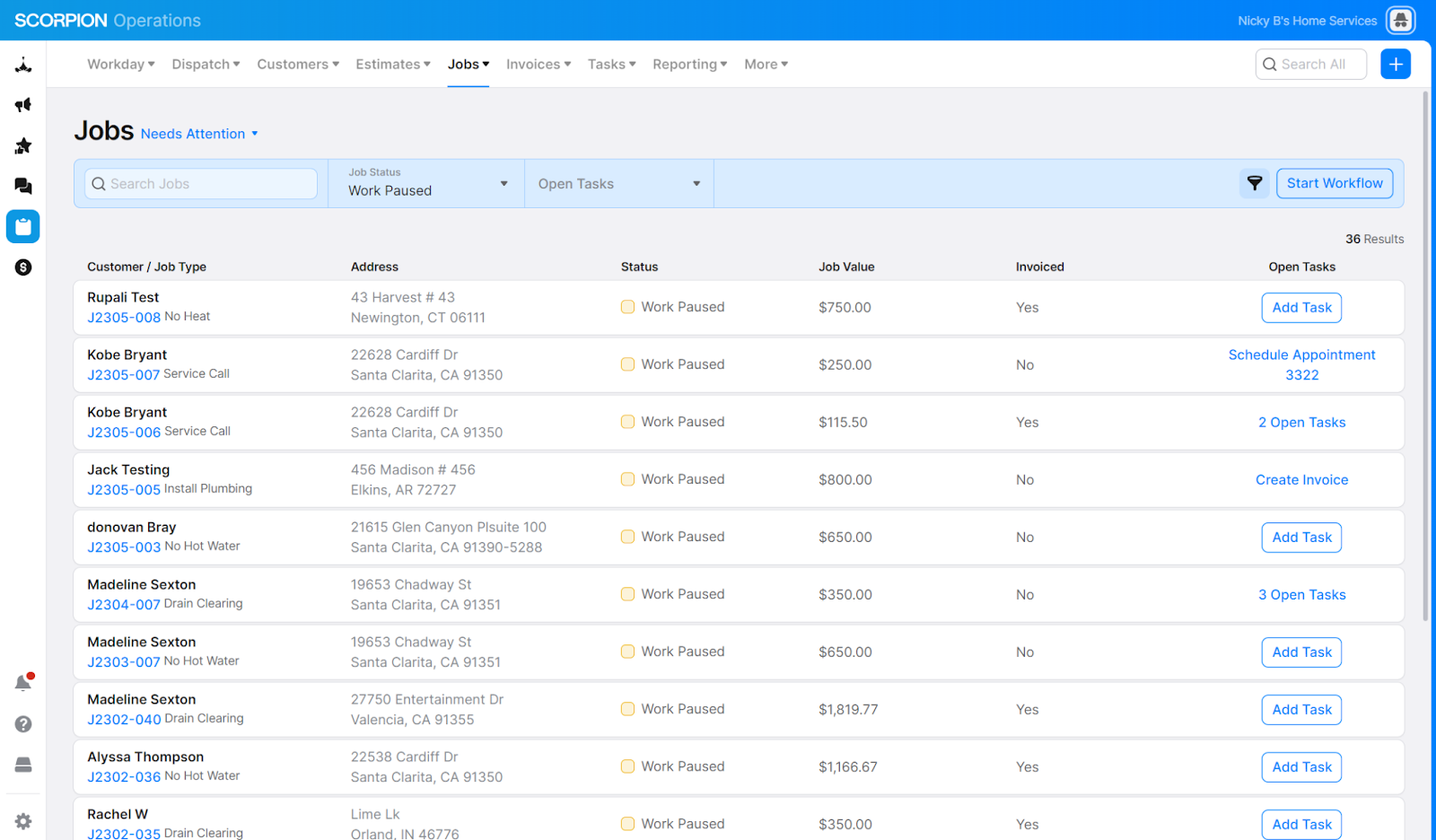
Enhanced Workday Experience: The new workday will feature tasks that need to be done for the day, a high-level summary of open work items, and include a new comprehensive Customer, Job, and Estimate List, making it even easier for you to stay organized and prioritize your work.
Automatic filter presets highlighting areas of potential bottlenecks in your business process
Jobs filter for Awaiting Payment, to ensure you stay on top of jobs that do not have invoices or haven’t been paid yet
Customer & Job tasks are integrated to the list so you know what is keeping work stuck in stages in your workflow
A summed up total for all unpaid invoices, regardless of job status
Quick view of how many inquiries were received in the last 7 days that have not converted into a new job and how many pending estimates will be expiring
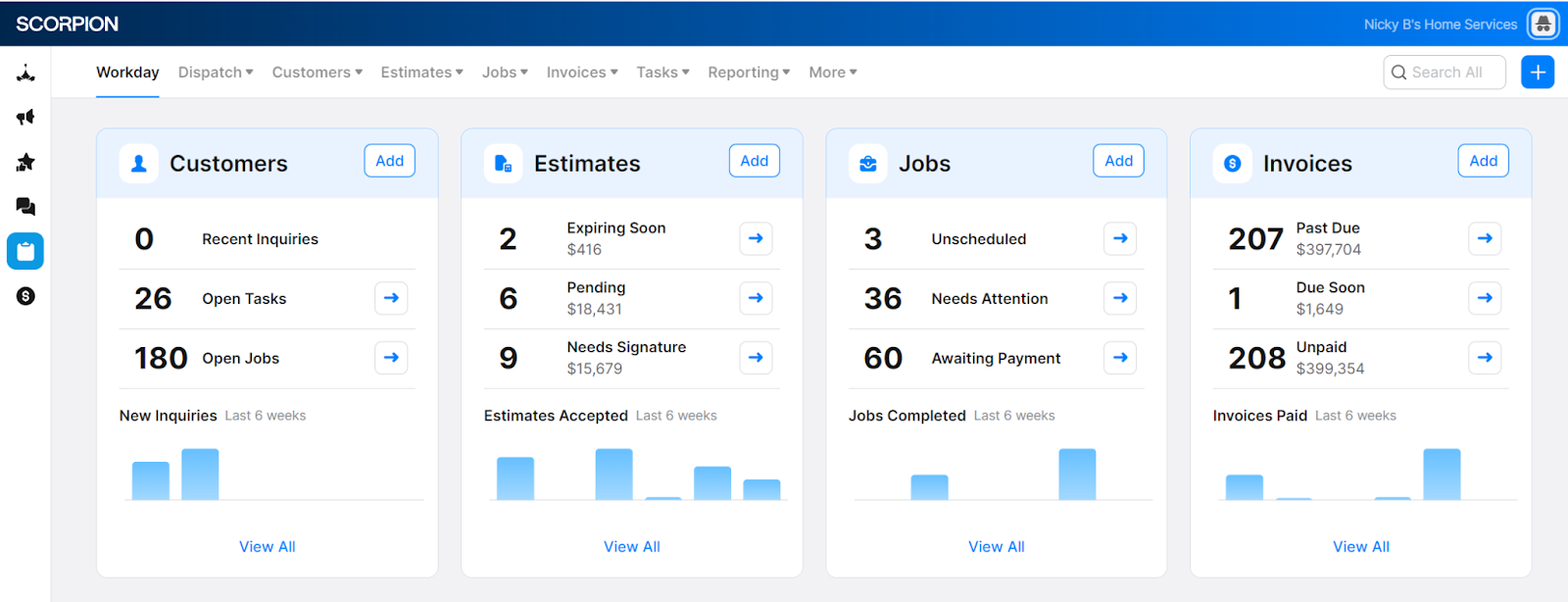
Intuitive Navigation & Actionable List Views: Our redesigned navigation now features Customers, Estimates, Jobs, and Invoices, each with filtered and actionable list views, making it a breeze to manage your business processes and save valuable time.
A top nav that now includes Customers, Estimates, Jobs & Invoices quick access links
Fast access to a list of all of your data for each entity type
An exposed filter bar with quick filters, search and advanced options
Enhanced Workflow feature that enabled you to set your own filtering and sort order to work a specific set of data in the system
List view side panels are now consistent with those used on detail pages
Quick action bar that enabled you to see the available actions without clicking into a menu icon
Sunset of Pipeline: As we innovate and evolve, we're sunsetting the pipeline feature to focus on delivering more efficient tools for your business needs. (Note: Reports aren't being sunset... yet!)
Revamped Search Interface: We've introduced a new search interface with more relevant columns, a matching design and display of detail pages and lists, and improved search algorithms that are more performant and make it easier to find the information you need.
Refined Status Definition for Work Complete Jobs: Jobs will now stay in Work Complete and not automatically transition to Job Closed if any of the following conditions apply:
No invoices on the job
Accepted estimates that haven't been converted to invoices
Unpaid invoices on the job
Once these conditions are met, the job will automatically move to the Job Closed status.
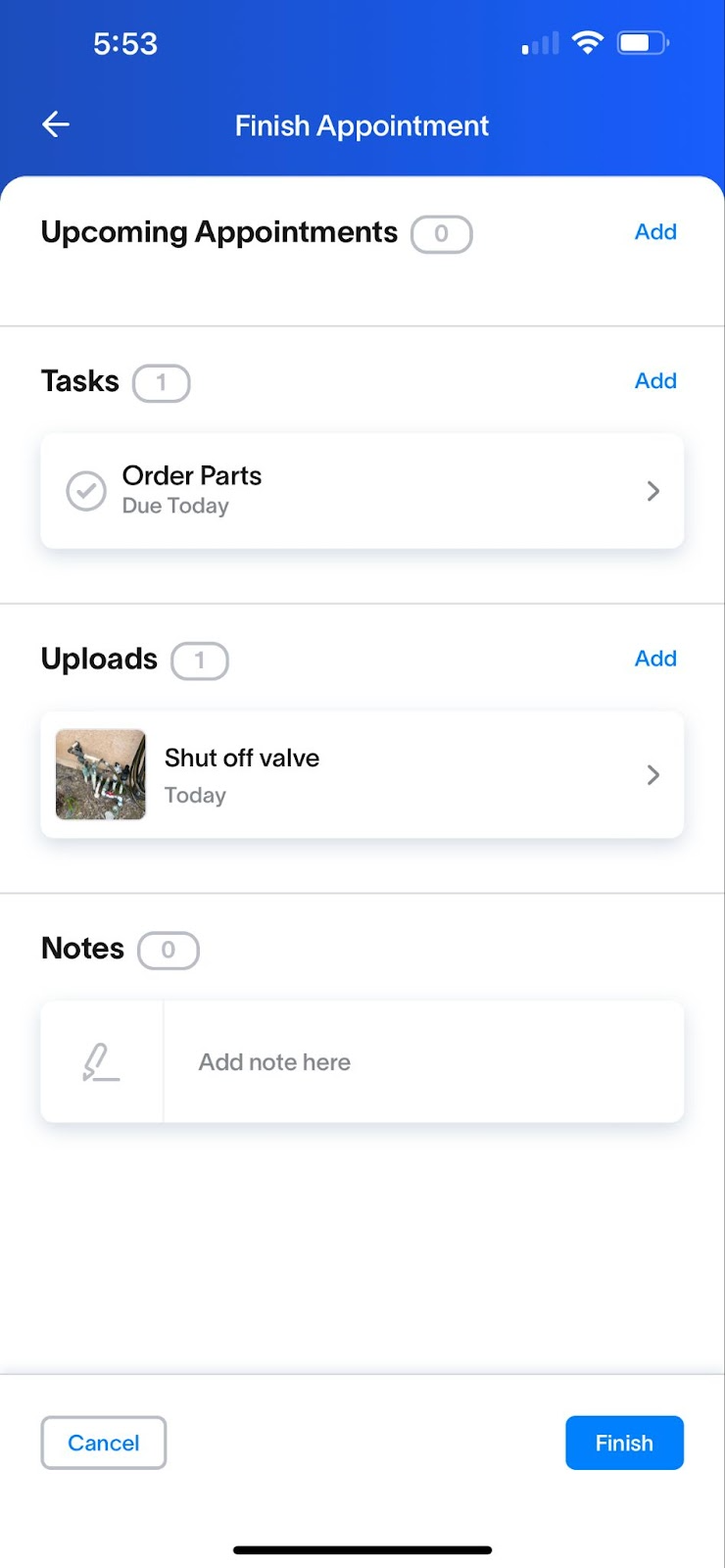
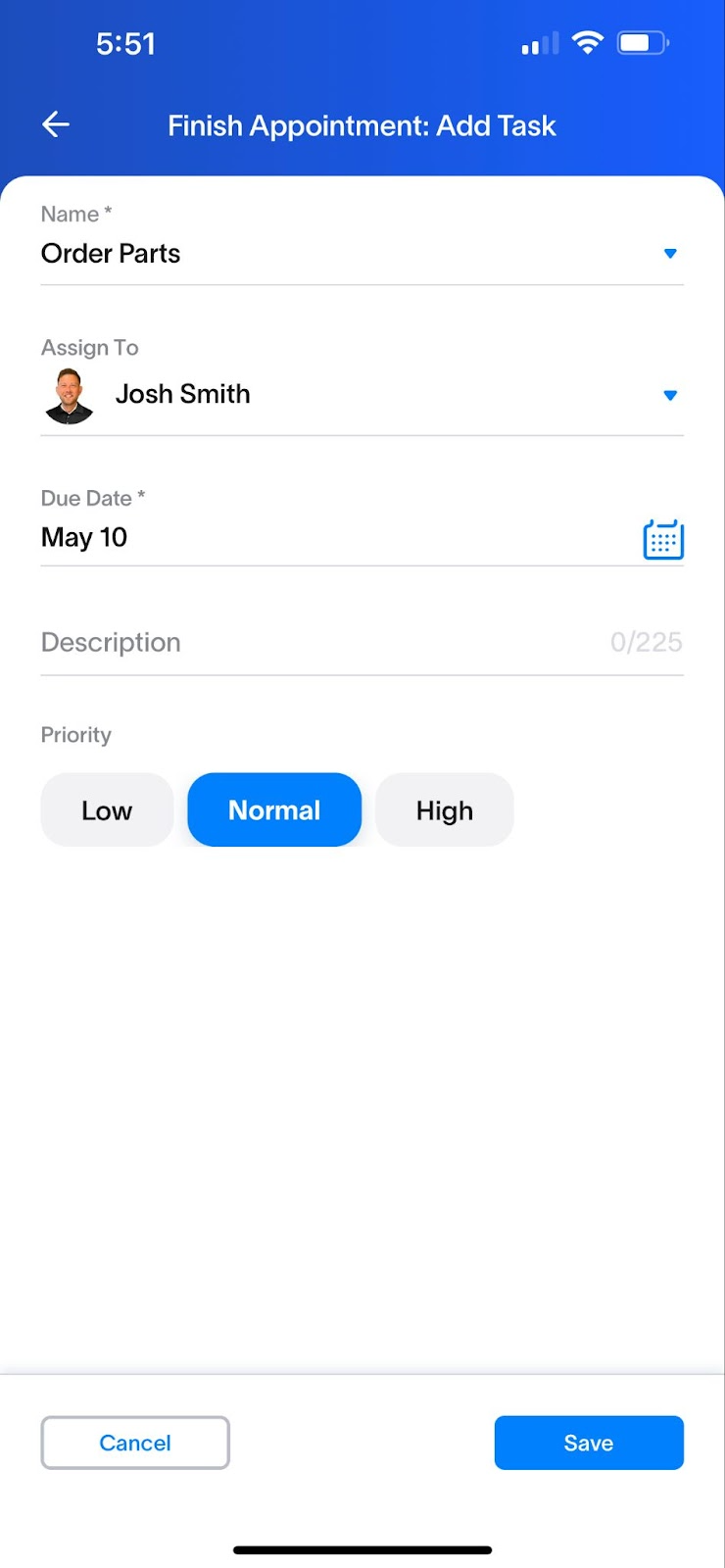
Job Closeout Flow for Field Techs: We've introduced a new Job Closeout Flow that allows field techs to easily add tasks when they're leaving jobs open, which will surface for office users on a workday as jobs that Need Attention, ensuring a smoother and more efficient process connecting the field & office teams together.
When appointments are completed, field users will see two options: Leave the job open, or close the job
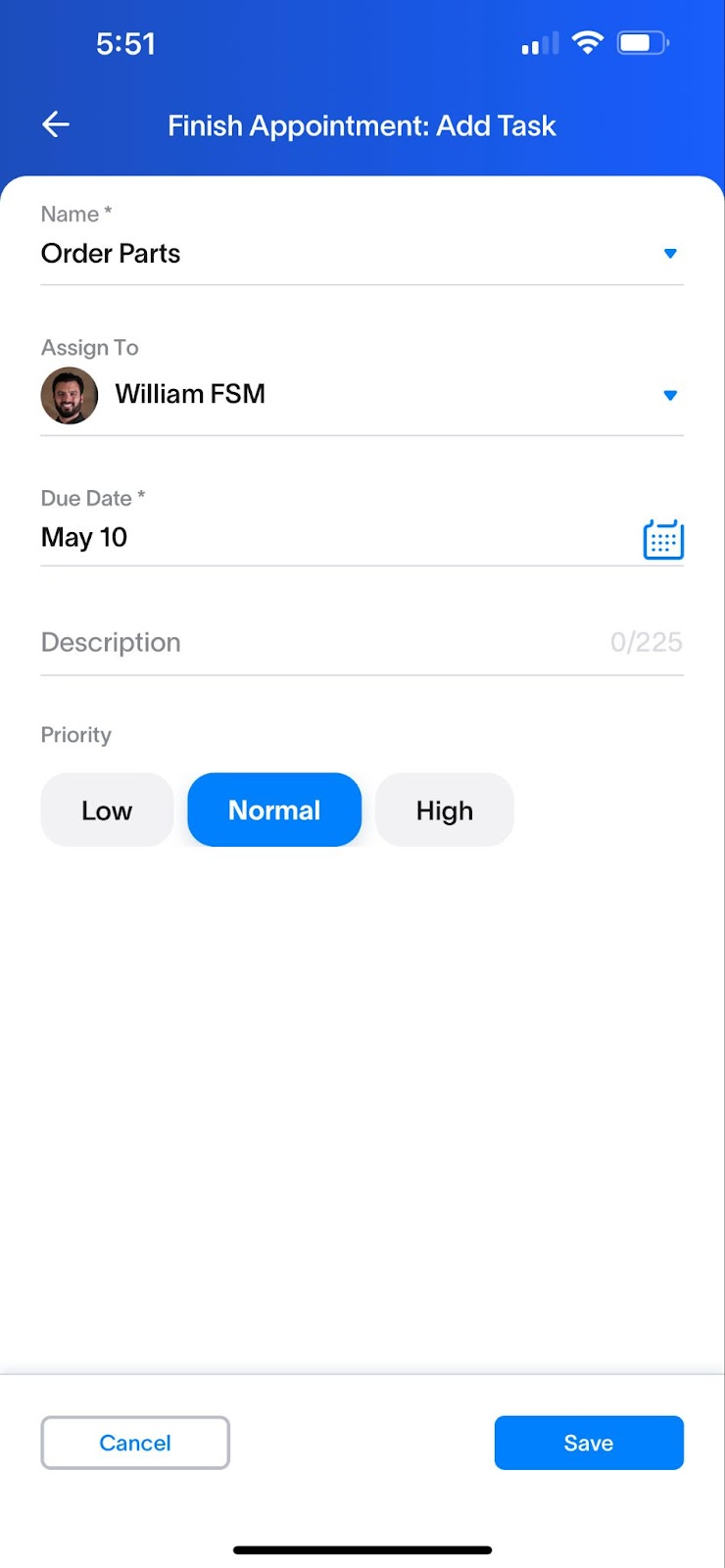
When users leave jobs opened they will be required to add a task to the job so that the office team always know what is needed to move the job forward
Preset task names to schedule appointments, order parts, or create estimates make adding tasks fast and easy
A closeout summary screen enables field users to add photos, notes, or schedule additional visits when ending appointments
Actions taken in the field can be seen in the office, organized on new jobs list views
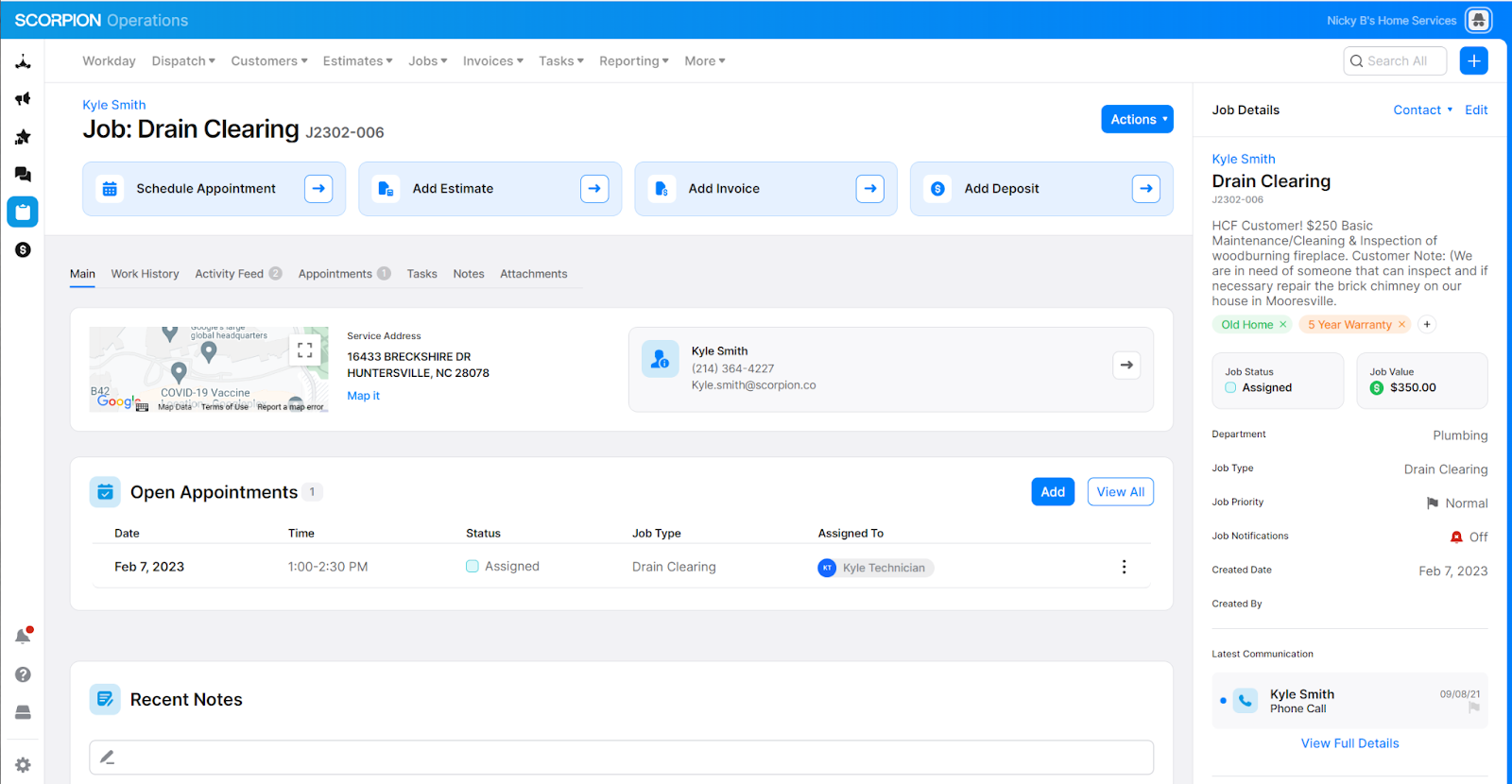
New Detail Pages: We’ve created a new layout design for our detail pages, including changes to headers, quick actions, side panel details, and overall consistency in the user experience when navigating through the app.
Redesigned Estimate & Invoice Builders - While keeping all the same features available as before, we’ve added enhancements and a new look and feel that makes it easier and faster to build Estimates or Invoices for your customers.
Form building style with ‘tab-through’ capability, to keep you focused on next steps
Inline editing of Pricebook item name and description, as well as Custom items
Line item sorting, to ensure items are exactly where you want them
PDF draft preview of Estimates, to see the customer presentation before you finalize
Side by side Estimate option summaries for quick comparison
Estimates & Invoices without a job - To reduce the amount of open jobs created until you know for sure the customer is ready to commit, we’ve enhanced Estimates and Invoices to allow for being created without linking to a job upfront. This added flexibility gives you the power to control if and when a job is created.
To create without a job, select the “Skip for now” job option in the Builder. You can always link a job at any time after the build is complete.
A job will only be required to link when an estimate is accepted.
At appointment end, choose whether the work for this job is fully complete, or if there are any items still needed. Selecting Leave Job Open prompts you to add a task and assign it to yourself or another member of your team, and ensures the entire team keeps track of when jobs are marked complete.

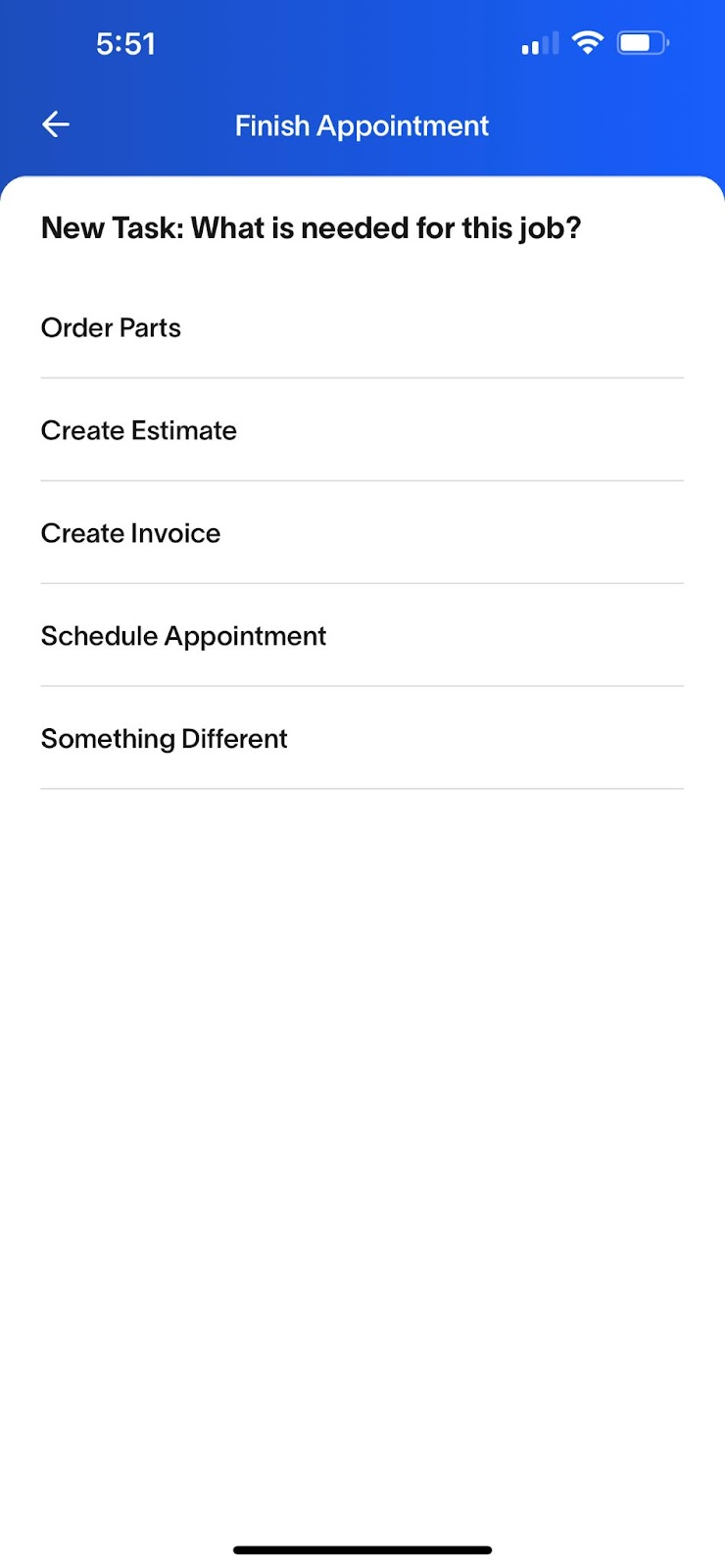
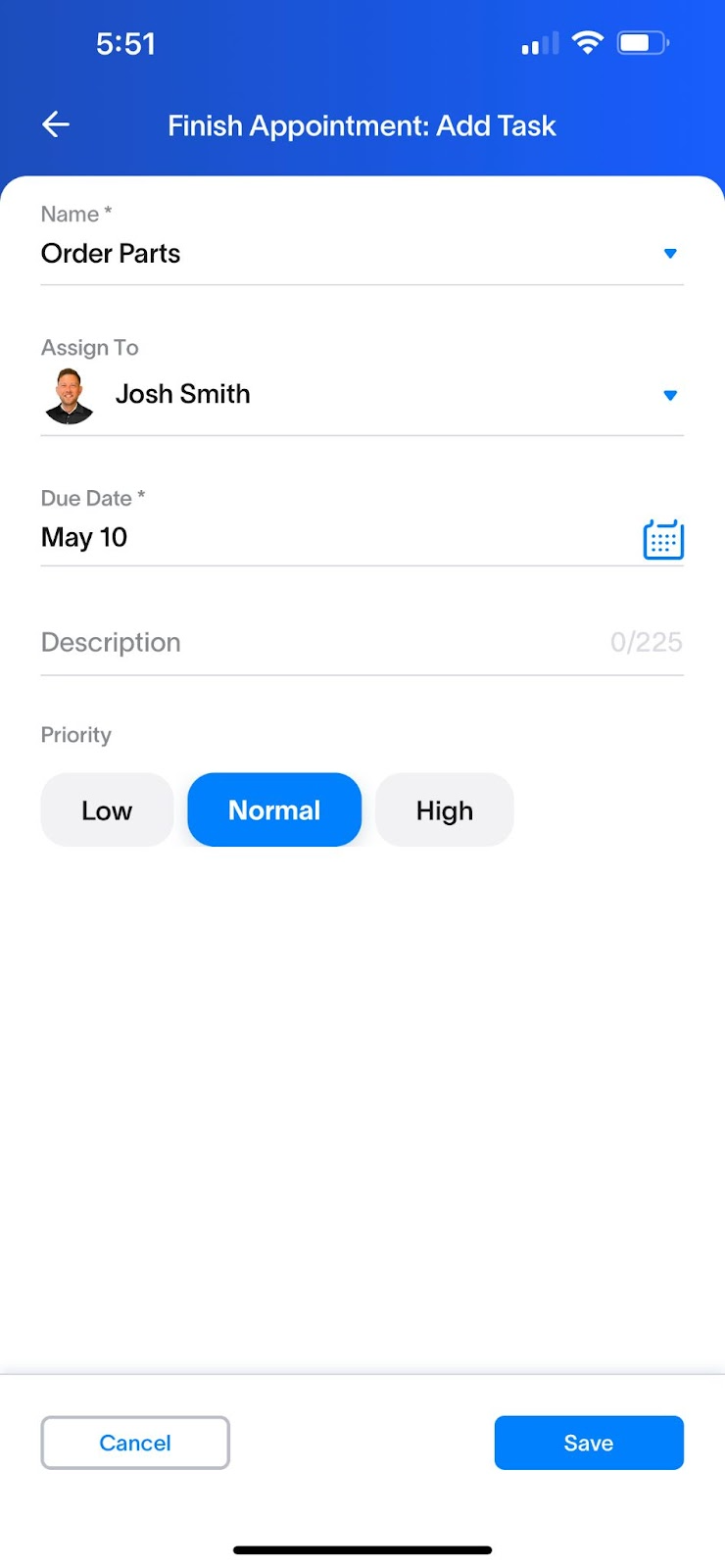
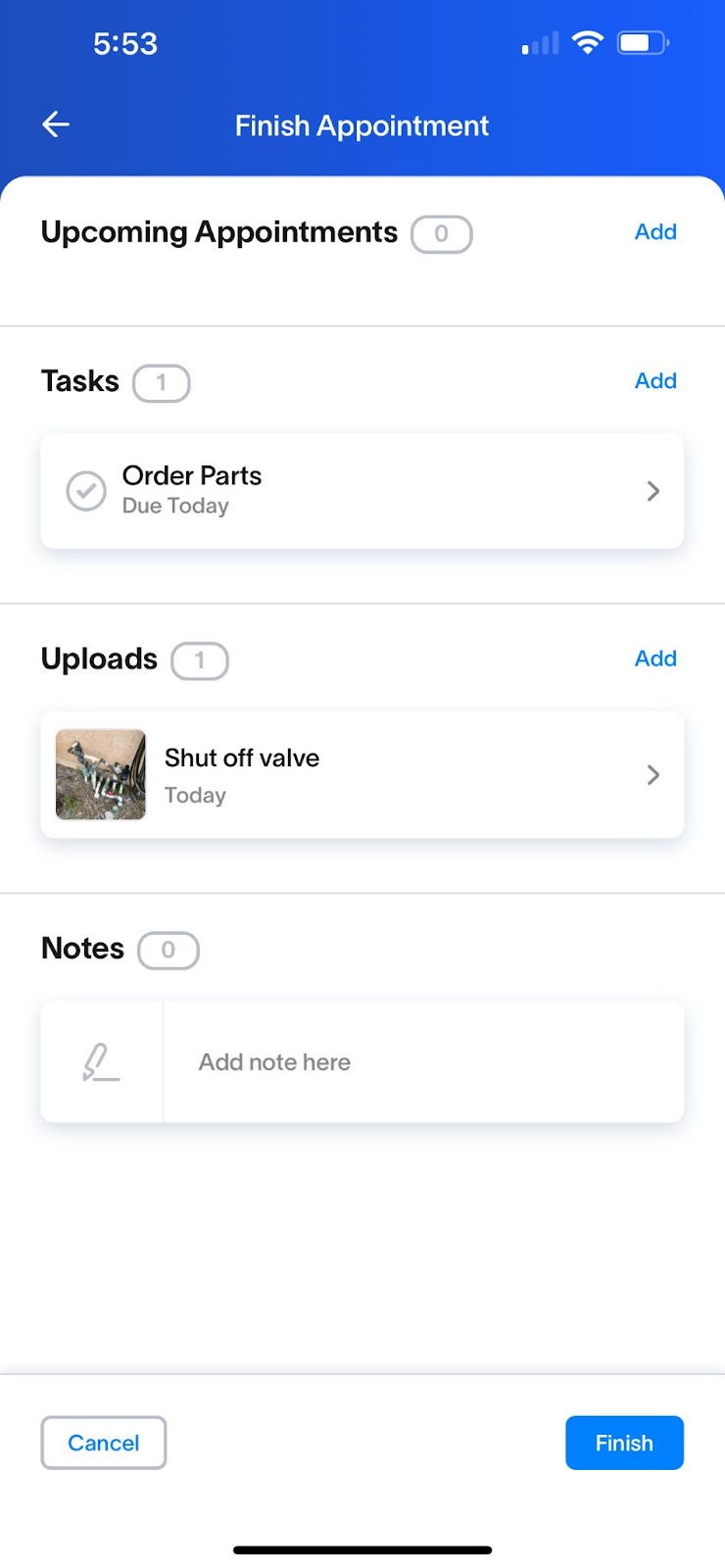
Job closeout flow FSM mobile app screenshots.