How to Send a Payment Request
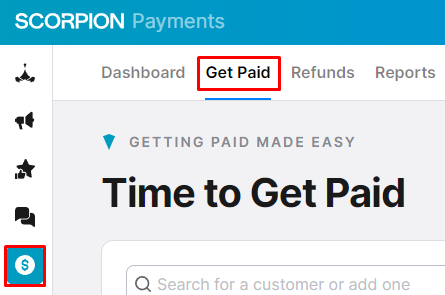
- Navigate to the Get Paid section by selecting the Payments Suite in the left-hand navigation and clicking on Get Paid in the upper navigation. You can also go straight to the section and get started.
- Using the search bar, search for the customer that you would like to send a request. If the customer does not show in the results, use the Add New button to input their information.

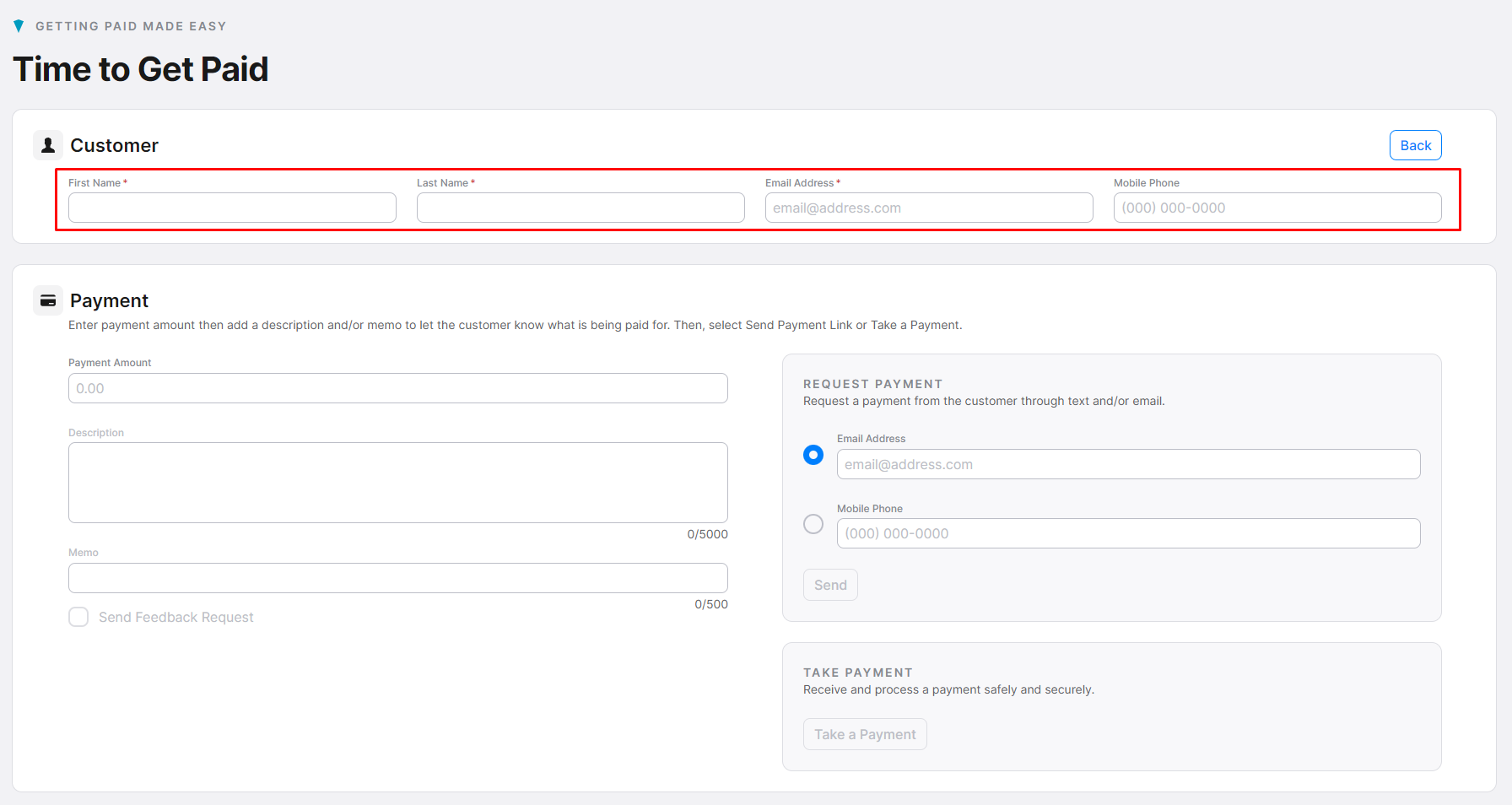
- Input the required customer information (First Name, Last Name, and Email); the phone number is optional. After entering the payment amount (description and memo are optional), select the method of the request (validate Email Address or Mobile Phone), and click “Send.”
- Note: If you would like to take the payment instead of sending a request, click “Take a Payment."