

How to Send a Review Request
Within the Reputation Suite, you will have the ability to send review requests to your customers to solicit new reviews for your business. These requests will link out to your various channels online, driving customers to leave reviews for you online.
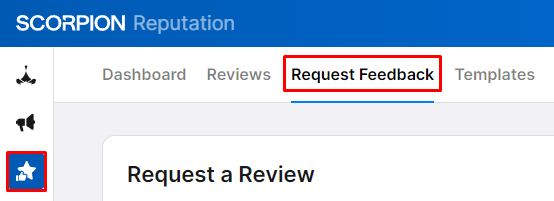
- Navigate to the Request Feedback section by selecting the Reputation Suite in the left-hand navigation and clicking on Request Feedback in the upper navigation. You can also go straight to the section and get started.
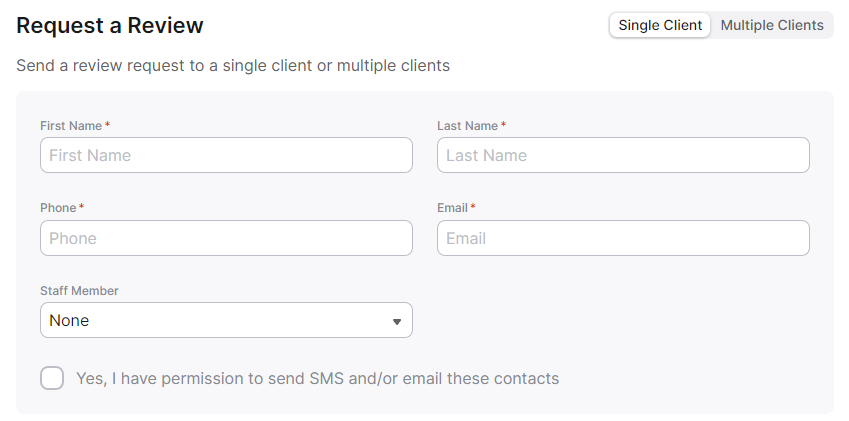
- Fill out the provided form, which specifies the first and last name of the contact, as well as their email and/or phone number.
- Check the box if you have permission to reach out to this customer and click Submit Request to send.
Notes
- If you add both contact points, they will first receive a text message, followed by email reminders in the days following. The cadence of these requests and reminders can be configured in the Reputation Suite Settings.
- If you have multiple locations with associated listings, the location you select will determine which channels are linked to in the review request.