

How to Authorize Social Channels in the Platform
- Click on Settings - the gear icon in the lower left-hand corner.

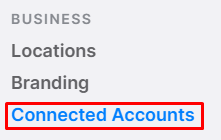
- Select "Connected Accounts" from the left-side menu.
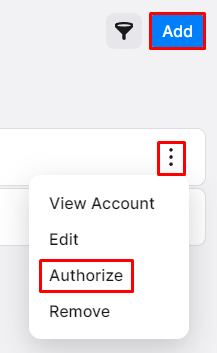
- Click on the kebab menu on the listing you would like to authorize and click “Authorize.”
- Note: If a listing is not showing here, click on “Add” in the top-right corner and add the business page - it should show once the link has been added.
- In the pop-up, log in to your account.
- Accept all permissions.
- Select the appropriate page to connect the business page to the platform and click “Save.”